From tabs to ideas
I designed this research canvas from 0→1 as the solo product designer. Launched on desktop and web.

The project
Superus brought live webpages, notes, and connections into one research canvas. As the solo product designer, I shaped the experience from discovery through interaction design, a lightweight component system, and engineering handoff.
My role
Solo Product Designer
Status
Launched · paid product
A saved page is not a saved thought
Early conversations with knowledge workers pointed to a recurring breakdown: sources were scattered across tabs, bookmarks, screenshots, and documents. Returning to a topic meant reconstructing why each link mattered. The design challenge was to retain the source and its relationship to the rest of the work.
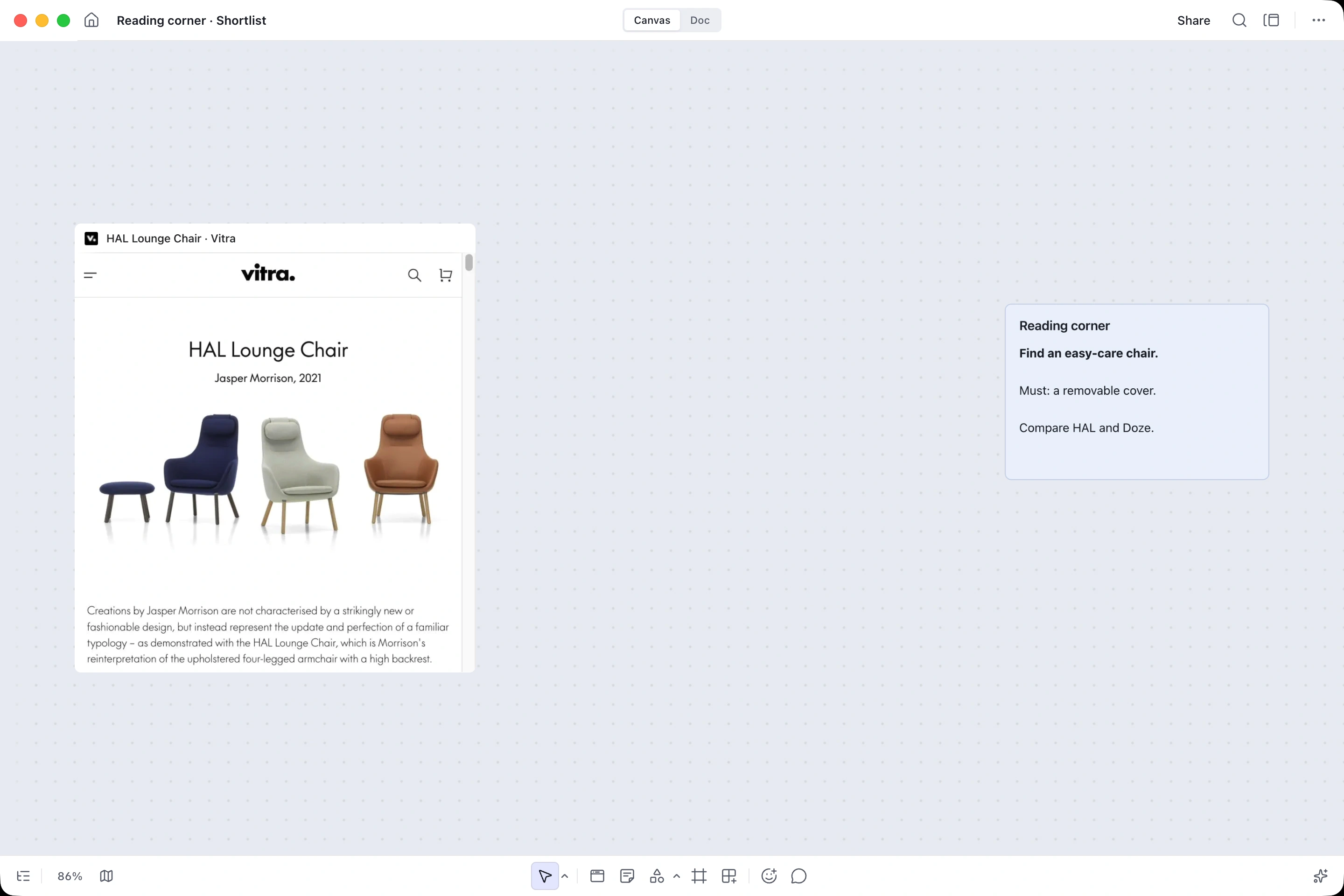
 HAL Lounge Chair · Vitravitra.com https://www.vitra.com/en-us/product/hal-lounge-chair
 Doze Lounge Chair · Muutomuuto.com https://www.muuto.com/product/Doze-Lounge-Chair-High-Back-Tube-Base HAL Lounge Chair · Vitravitra.com https://www.vitra.com/en-us/product/hal-lounge-chair Doze Lounge Chair · Muutomuuto.com https://www.muuto.com/product/Doze-Lounge-Chair-High-Back-Tube-Base HAL Lounge Chair · Vitravitra.com https://www.vitra.com/en-us/product/hal-lounge-chair Doze Lounge Chair · Muutomuuto.com https://www.muuto.com/product/Doze-Lounge-Chair-High-Back-Tube-Base Doze Lounge Chair · Muutomuuto.com https://www.muuto.com/product/Doze-Lounge-Chair-High-Back-Tube-Base HAL Lounge Chair · Vitravitra.com https://www.vitra.com/en-us/product/hal-lounge-chair HAL Lounge Chair · Vitravitra.com https://www.vitra.com/en-us/product/hal-lounge-chair Doze Lounge Chair · Muutomuuto.com https://www.muuto.com/product/Doze-Lounge-Chair-High-Back-Tube-Base HAL Lounge Chair · Vitravitra.com https://www.vitra.com/en-us/product/hal-lounge-chair Doze Lounge Chair · Muutomuuto.com https://www.muuto.com/product/Doze-Lounge-Chair-High-Back-Tube-Base HAL Lounge Chair · Vitravitra.com https://www.vitra.com/en-us/product/hal-lounge-chair Doze Lounge Chair · Muutomuuto.com https://www.muuto.com/product/Doze-Lounge-Chair-High-Back-Tube-Base HAL Lounge Chair · Vitravitra.com https://www.vitra.com/en-us/product/hal-lounge-chair Doze Lounge Chair · Muutomuuto.com https://www.muuto.com/product/Doze-Lounge-Chair-High-Back-Tube-Base HAL Lounge Chair · Vitravitra.com https://www.vitra.com/en-us/product/hal-lounge-chair Doze Lounge Chair · Muutomuuto.com https://www.muuto.com/product/Doze-Lounge-Chair-High-Back-Tube-Base
was it?”Similar titles.
Different answers.
Product model
Keep sources and notes together
We chose a canvas because research is nonlinear. A live webpage could become a stable source card; notes, groups, and links could sit beside it. This made spatial arrangement part of the workflow rather than a decorative whiteboard metaphor.
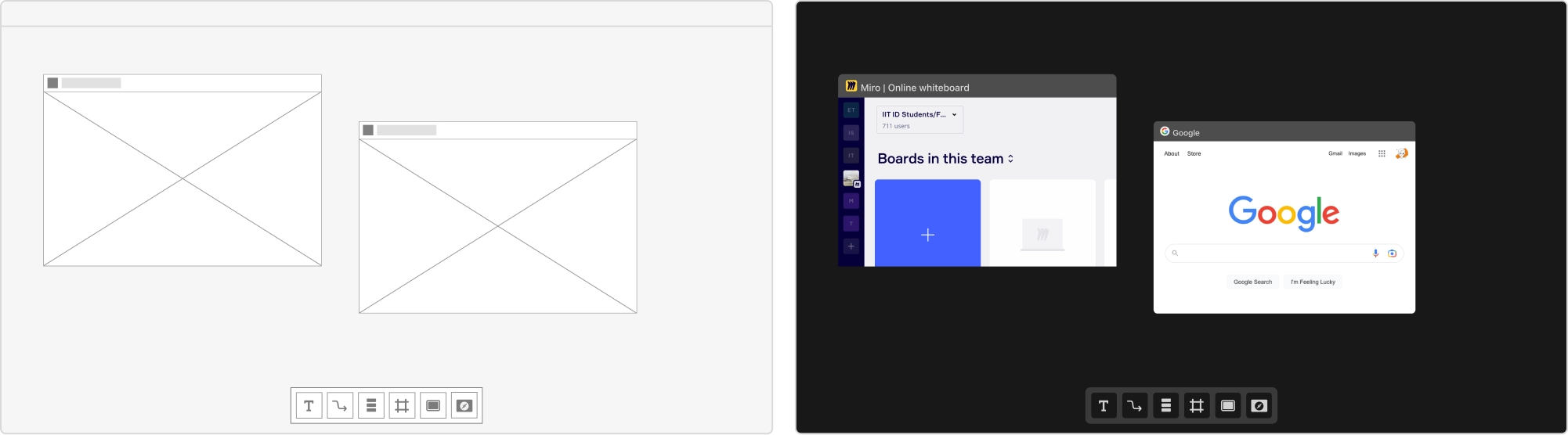
Two pages remain separate objects. The shared toolbar belongs to the canvas rather than to either webpage.
The visual design keeps those boundaries: each page has its own title bar and place on the board.
A webpage becomes an object that keeps its place.
Structure and visual studies from the project board.
What each part of the workspace does
Capture: retain a live page and its address. Think: add notes, groups, and connections nearby.
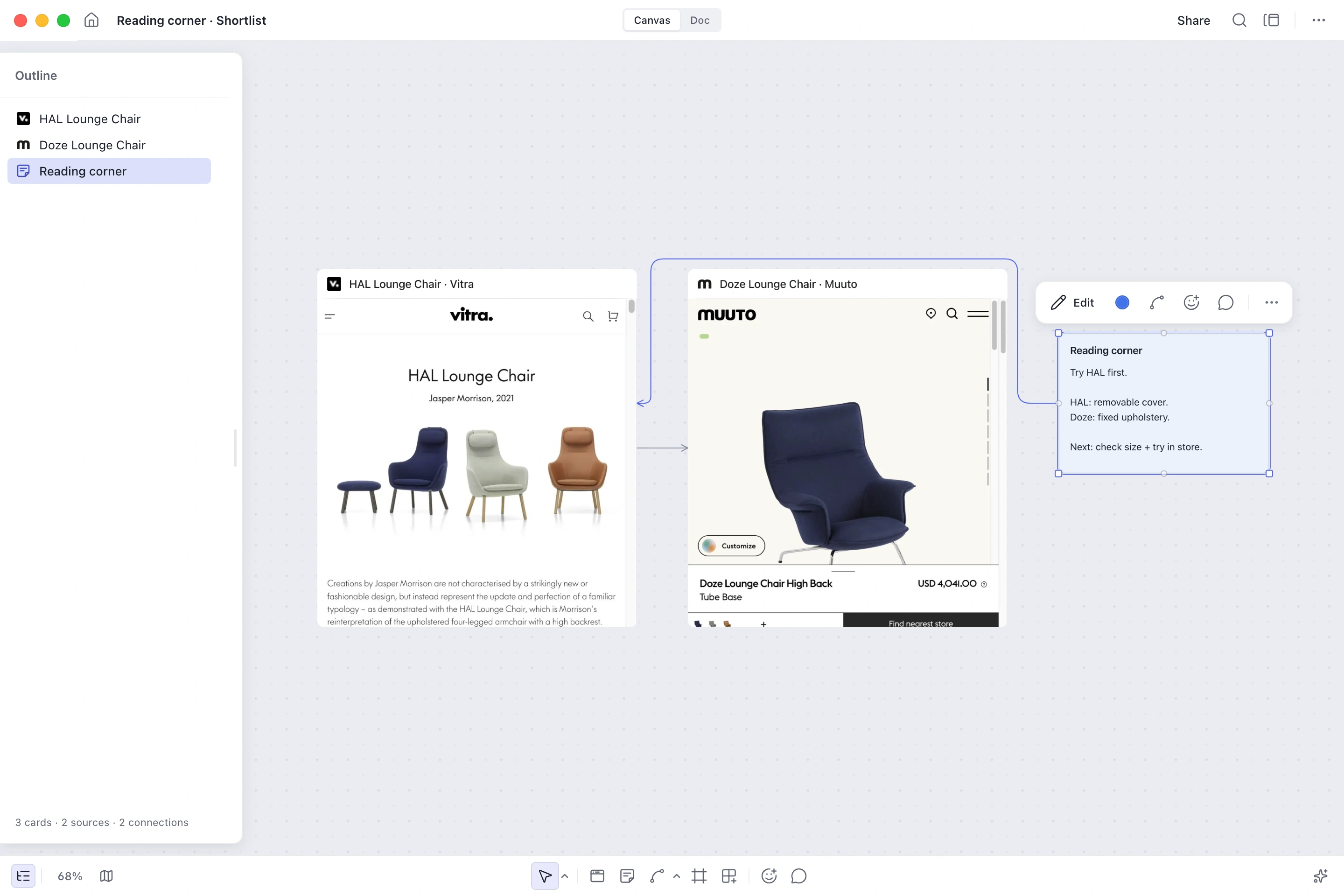
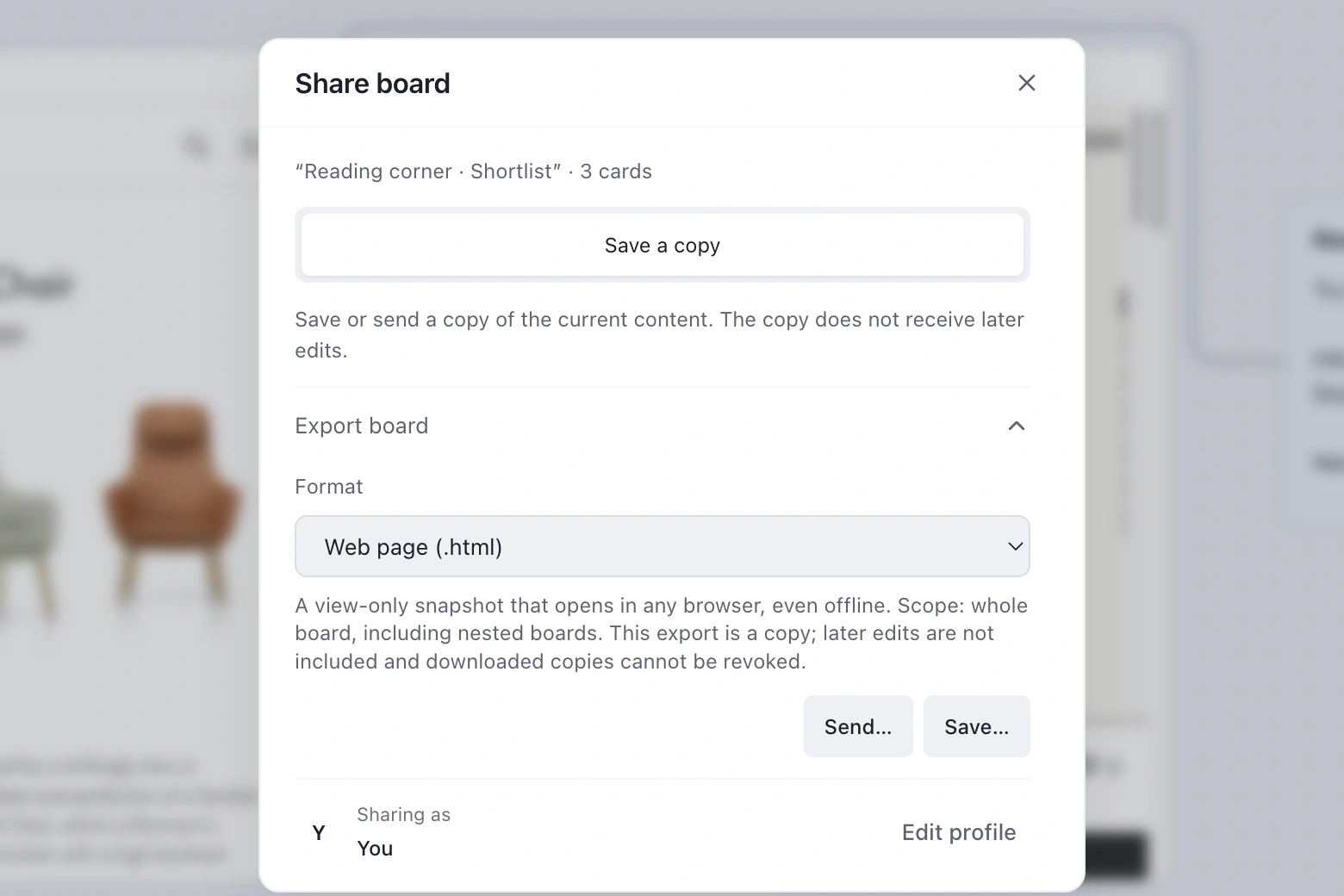
Return: find the source again through Outline and search. Share: carry the board forward through sharing or export.
Capture, connect, and return to the research
The core path had to work without a tutorial: bring in a page, add a thought next to it, connect related sources, then find the work again. We kept capture lightweight so that structuring the research did not interrupt reading.
One research loop
One research loop
-
Open a webpage
-
Pin a live web card
-
Add notes
Group and connect
-
Find it in Outline
Export the board
↩ Return or share → Capture (Continue the same topic)
- Start/end
- Screen/action
Loading image…
Loading image…
Loading image…
Image 1 of 3
Inspect the workspace structure
Canvas: live web cards and page addresses, text notes, groups, and connections.
Outline & search: find named sources and notes, then select them on the canvas.
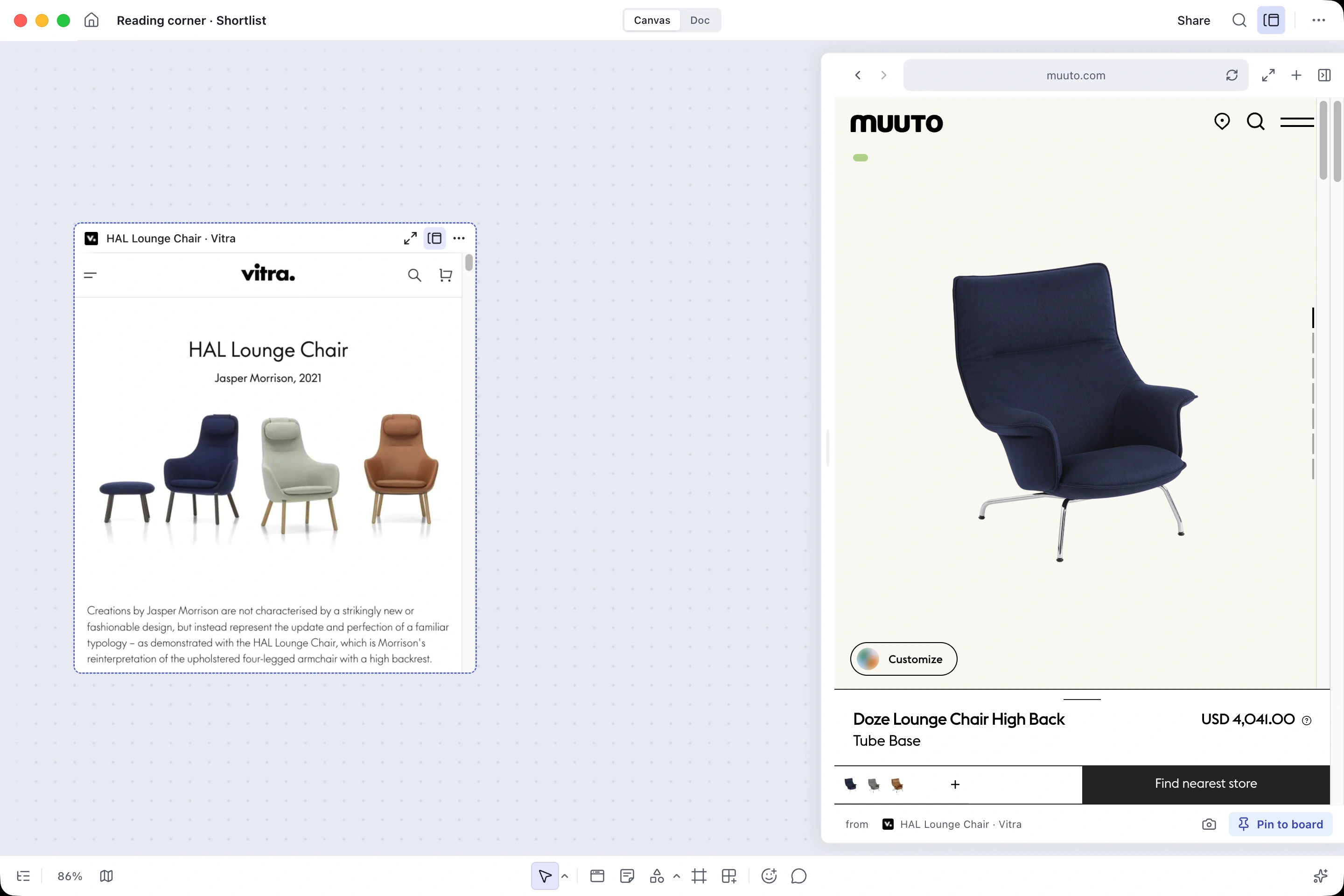
Side Peek: temporary browsing of a linked page, with an explicit action to pin it.
Share & export: save a snapshot of the board to revisit or send.
Core decision
Side Peek
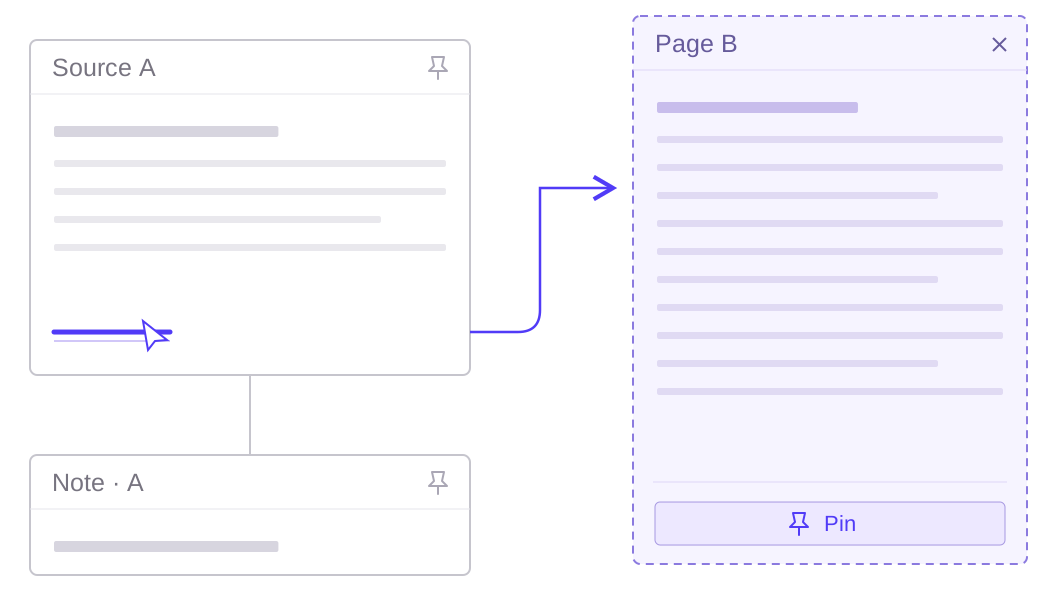
Opening a link should not replace the source you pinned
One interaction exposed the product’s mental model. In an early version, following a link inside a pinned page replaced that page. The user wanted to explore a branch, not change the source they had already placed on the board. I looked for ways to separate temporary browsing from the stable canvas.
Loading image…
- Benefit
- Read the branch while preserving the source and its surrounding context.
- Trade-off
- The temporary panel uses part of the available canvas width.
DecisionSide Peek
Keep the original source in place. Save an explored page only when the reader chooses to pin it.
Source A and its note stay as the reference anchor across all three options.
Compare another candidate without replacing the source
Open another chair in Side Peek while the original source stays on the canvas. Pin the candidate when it becomes useful, then close the temporary panel to return to the comparison.
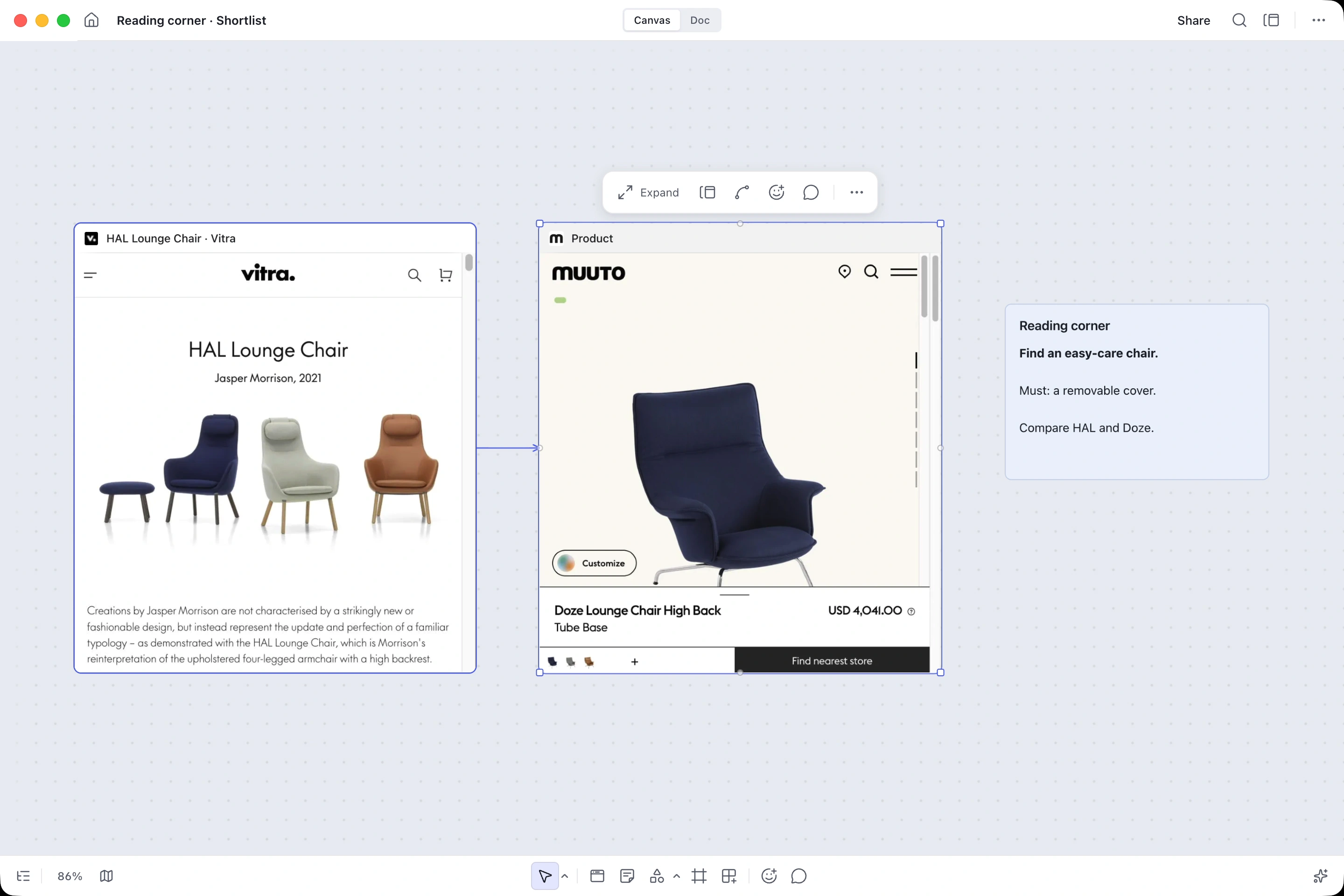
The pinned source and the research question stay together on the canvas.
01 / 03Keep the source and question
0:00 0:16Design system
Shared controls keep a growing canvas consistent
With one designer and a small engineering team, consistency had to be practical. I defined a compact set of cards, toolbars, panels, menus, and states. Focus, selection, and layering rules helped the canvas stay legible as the number of sources increased.
Format or recolor the chair-research notes, then group them in a frame. The same notes stay selected.
Made for a canvas.
Inspect browsing, search and connections
Inspect color and type foundations
Indigo
Inter
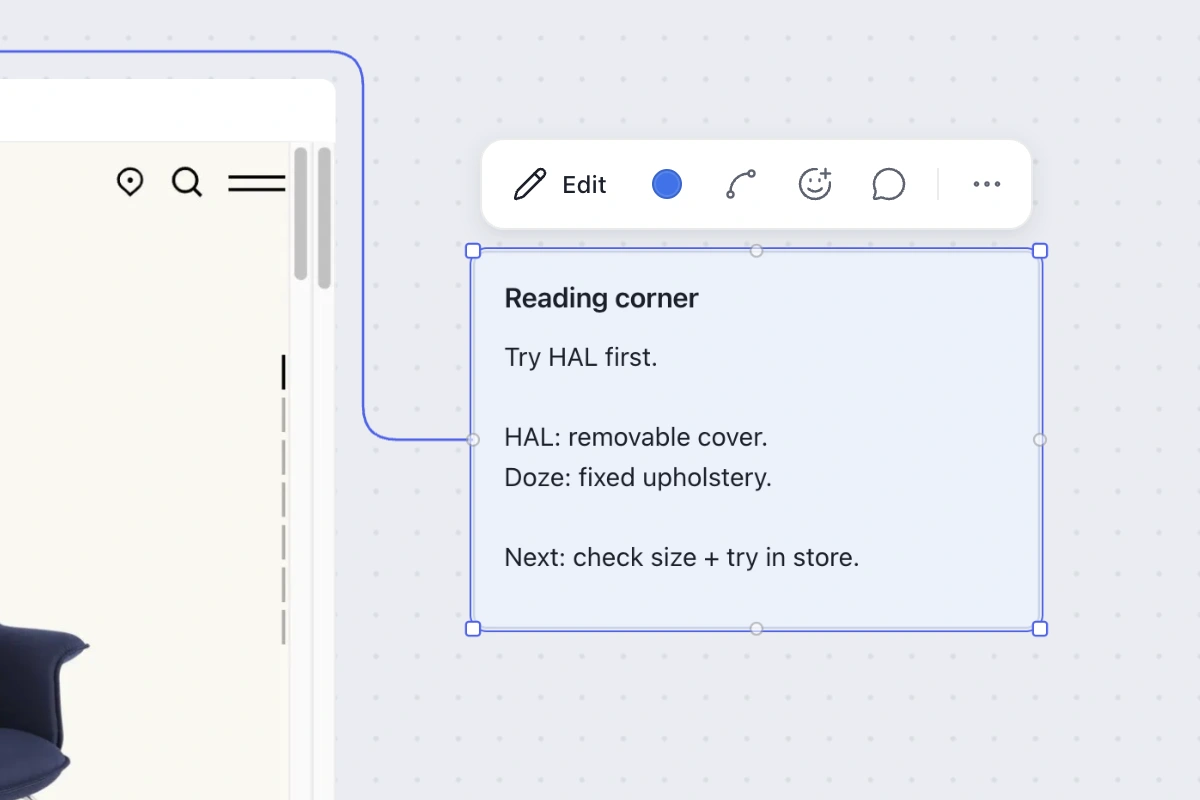
Loading image…
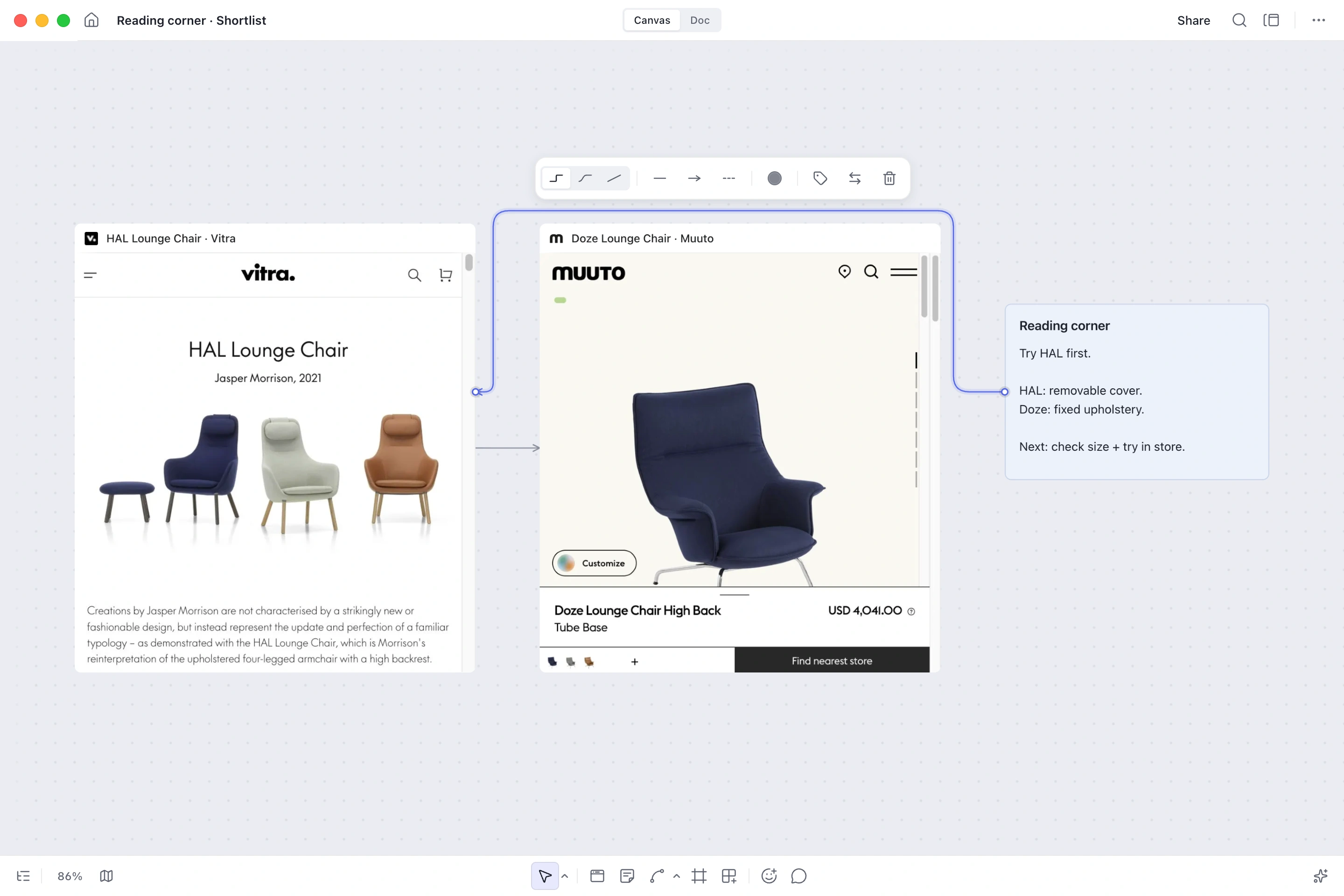
Loading image…
Loading image…
Image 1 of 3
A launched product, and a lesson in preserving context
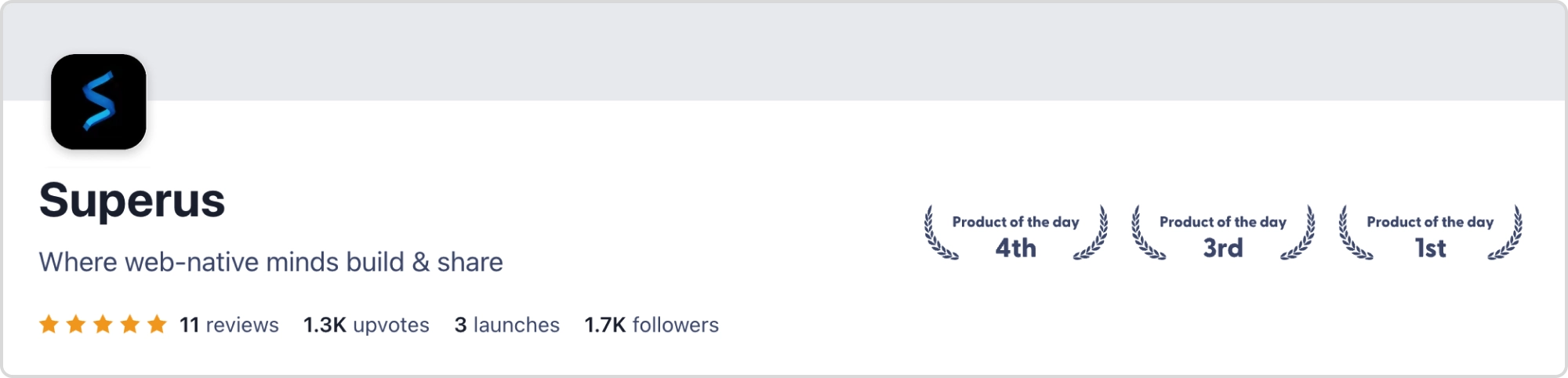
Superus launched on desktop and web and earned Product Hunt’s Product of the Day. The project record reports 30k registered users and 1.5k paid subscribers; the reporting period is not documented here.
These product-level figures do not measure the effect of Side Peek or an individual design decision.

Where web-native minds build & share
View launch record
What I carried forward: a research tool earns trust when its objects keep their meaning. A pinned source should remain a source, a temporary visit should feel temporary, and a growing board should provide a clear way back.
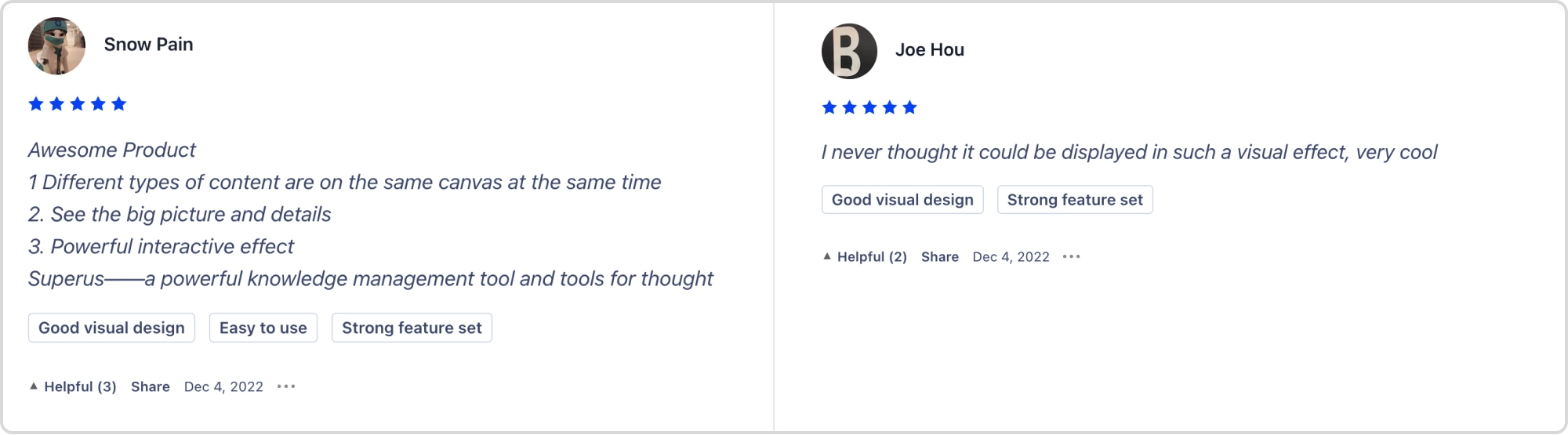
Different types of content are on the same canvas at the same time … See the big picture and details
I never thought it could be displayed in such a visual effect, very cool
I’ve been a very early supporter of SuperUs … an invaluable tool for anyone who works in the knowledge management space.
A tool I use everyday, and such a lovely developing team. I absolutely would share it to anyone that has to face the overload of open tabs.
Great UI design, easy to use, can help improve work efficiency.
Different types of content are on the same canvas at the same time … See the big picture and details
I never thought it could be displayed in such a visual effect, very cool
I’ve been a very early supporter of SuperUs … an invaluable tool for anyone who works in the knowledge management space.
A tool I use everyday, and such a lovely developing team. I absolutely would share it to anyone that has to face the overload of open tabs.
Great UI design, easy to use, can help improve work efficiency.
A tool I use everyday, and such a lovely developing team. I absolutely would share it to anyone that has to face the overload of open tabs.
Great UI design, easy to use, can help improve work efficiency.
Different types of content are on the same canvas at the same time … See the big picture and details
I never thought it could be displayed in such a visual effect, very cool
I’ve been a very early supporter of SuperUs … an invaluable tool for anyone who works in the knowledge management space.
Read the original reviews
My role & team contributions
I led the research and design decisions below. Engineering owned the desktop and web implementation after handoff.
Research problem framing
Canvas product model
Side Peek interaction
Component system and handoff
Desktop and web implementation
| Work | I led | I contributed | Team-owned | My influence |
|---|---|---|---|---|
| Research problem framing | — | — | Decided | |
| Canvas product model | — | — | Proposed | |
| Side Peek interaction | — | — | Decided | |
| Component system and handoff | — | — | Executed | |
| Desktop and web implementation | — | — | Facilitated |
More case studies
All workSenseTime’s design reference, redesigned
I designed the reference and reading pages in a four-person team. Launched internally.
Returning to the Old Summer Palace
Stage visuals and motion for Renwen Tsinghua’s lecture on the palace’s reconstruction.
Animated stickers for a veterinary brand
Five WeChat characters, each built around one of the brand’s products.